Testing Linux 6.19.0 On A Raspberry Pi 4.
Testing Linux 6.19.0 On A Raspberry Pi 4.
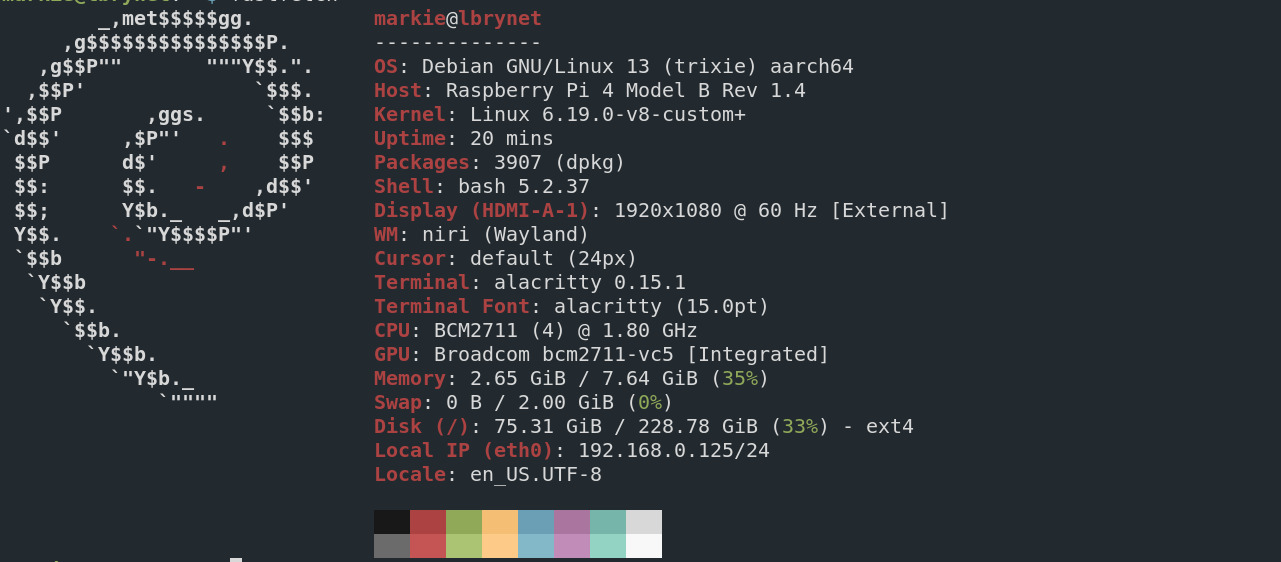
I compiled and built the new, Linux kernel 6.19.0, on a dedicated Raspberry Pi, which was delegated for the job, to use on other Raspberry Pis, using these instructions. and it took a little over one hour. The last kernel, tested was kernel 6.18.9, which was stable but it seemed to use much more memory and seemed much more CPU intensive than the, now latest kernel in the Raspberry Pi OS, repository, which at the time of this article, is currently kernel 6.12.62.
Building kernels for some people, is considered fun, however, what must be admitted is that in this matter, leaping without looking was our initial method here, since we haven't yet familiarized ourselves with the potential kernel benchmark tools to make any real scientific declarations on our findings.
This should have been obvious to us at the onset, but as stated, we jumped before leaping. Therefore, much of our declarations here, will be akin to opinions based on emotions rather than scientific methods. We'll work on becoming proficient with Linux kernel benchmark software so that we can become better at the scientific method.
That being said, this kernel 6.19.0, seems to be stingy with memory and CPU resources. It's early yet, but I think I like it a lot. I won't getting too attached however, since this version, the 6.19.y, will not be a long term support kernel but I couldn't resist testing it out.
Now I followed the instructions, almost to the letter, but I skipped a few steps. Namely, I didn't bother to copy over the dtbs, which for those who don't know are the device tree binaries, nor the overlays either. I took the chance that the old ones, installed with the kernel 6.12.y, would work. I didn't want to unnecessarily complicate the test or confuse myself when the time came to revert to the officially supported kernel version in the Raspberry Pi's repository.
I also didn't overwrite my old kernel with the new one either. I just named the new kernel mycustomkernel.img or something like it and made an edit in the config.txt file, located in the boot, firmware directory and that worked well. While I may have omitted the steps I mentioned, I did include one step not in the official instructions, of make -j6 Image.gz modules dtbs, by adding bindeb-pkg to the list. Which included three Debian, deb archive files, of which I extracted the modules, and headers from.
I didn't install the deb packages since that could, provide another layer of complexity. It is just easier to extract the archives using the GNU ar tool, then tar and place the modules and their respective directories. That way, when one has finished playing and testing, one can just remove them with little or no side effects.
Kernel 6.19.0 runs well on the Raspberry Pi. Everything seems to be working correctly. Video is working, audio WiFi, Bluetooth and so far as one can see, the transition has been seamless. As stated earlier, no real scientific bench marking has been done since we were premature in our testing and mainly motivated by enthusiasm. We will do better in that department in the future and preface to say that our findings are purely based on user experience and emotion.